Connect your store
A feed or API supplies products, prices, and stock. You define the sales terms.
AI agents your customers may use
 Dots
 Muse
 Hermes Agent
 Manus
 Claude Cowork
 Gemini Agent
Launch a store for AI agents at agent.yourstore.com - from catalog to payments. Orders reach your store through its API.
 From question to order

256 GB · 1 unit
$3,199Your store serves people. Semly creates an agent version on your subdomain and syncs your catalog through a feed or API.
Xiaomi 14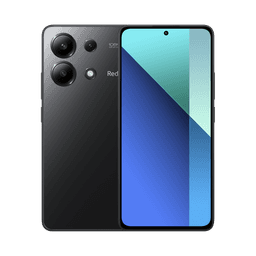 Redmi Note 13
Agents use data instead of your store interface. They find products, check availability, and prepare purchases for customer approval.
Connect your store once. The agent prepares the purchase, the customer approves payment, and you fulfill the order in your system.
A feed or API supplies products, prices, and stock. You define the sales terms.
Your subdomain provides data, a cart, and checkout.
It checks the product, variant, and availability, then prepares a cart.
The customer sees the total and delivery terms, then confirms payment with the provider.
The order reaches your store through its API. You ship it.
The agent reads the OpenAPI description, finds a product, prepares a cart, and starts the supported checkout flow after customer approval.
GET https://agent.yourstore.com/openapi.json GET /products?query=smartphone&storage=256GB POST /cart { "product_id": "xiaomi-14-256", "quantity": 1 } POST /checkout { "cart_id": "cart-1042" } After payment confirmation: POST https://yourstore.com/api/orders { "order_id": "AI-1042", "payment_status": "paid" }Track agent visits, searches, carts, and orders in Semly. See integration errors and missing data that prevent purchases.
AI Agent Leon checks product data and visibility in AI Shopping. He fills gaps, spots errors, and suggests or applies corrections.
AI Agent LeonSemly shares your catalog and checkout in formats agents can read. Your catalog, API, and assistant connections run on your subdomain.
Concise store and offering knowledge.
Structured facts about products.
Search, cart, and checkout instructions.
Tools available in your AI assistant.
We're developing the commerce layer with Google UCP and OpenAI ACP in mind.
Your website and store remain the destination for people. Semly creates an additional channel for agents, such as agent.yourstore.com. Sync products through a feed or API, and send orders back to your current platform through its API. The scope depends on your system's capabilities.
Show us your platform. We'll plan syncing, payments, and order handoff.